

Class Awards Middle School End of the Year, Printable Certificates Bundle, 26 Editable Designs, Student Recognition Pack, Teacher Friendly
Class Awards Middle School End of the Year, Printable Certificates Bundle, 26 Editable Designs, Student Recognition Pack, Teacher Friendly
Couldn't load pickup availability
Make your recognition process easier with these class awards middle school end of the year certificates. This set is designed to help you celebrate your students in a way that feels respectful, simple, and meaningful.
You’ll get 26 editable certificates with a clean layout that works well for middle school classrooms. Just type in names, print, and you’re ready. The variety of awards makes it easy to recognize different strengths without overthinking it.
Perfect for a smooth end-of-year wrap-up. Add these class awards middle school end of the year certificates to your classroom and keep your celebration stress-free.
. . . . . . . . . . . . . .
WHAT YOU WILL RECEIVE
- 26 editable PDF templates
- Large 8.5'' x 11'' designs that can easily be printed on regular sized paper
- High-resolution FDF files
- There are 26 colorful certificates in this set. Enough so that each student can be recognized with a unique award.
1. A+ Athlete
2. Amazing Attendance
3. Aspiring Artist
4. Awesome Author
5. Blue Ribbon Behavior
6. Computer Whiz
7. King of Kindness
8. Queen of Kindness
9. Exceptional Effort
10. Fantastic Friend
11. Super Friend
12. Hardworking Hero
13. Helping Hands
14. Honest Abe
15. Magnificent Manners
16. Math Magician
17. Most Improved Student
18. Marvelous Musician
19. Rockin' Reader
20. Social Studies Star
21. Spectacular Citizen
22. Super Scientist
23. Superb Speller
24. Accelerated Reader All-Star
25. Reading Counts All-Star
26. Your own design
. . . . . . . . . . . . . .
INSTRUCTIONS :
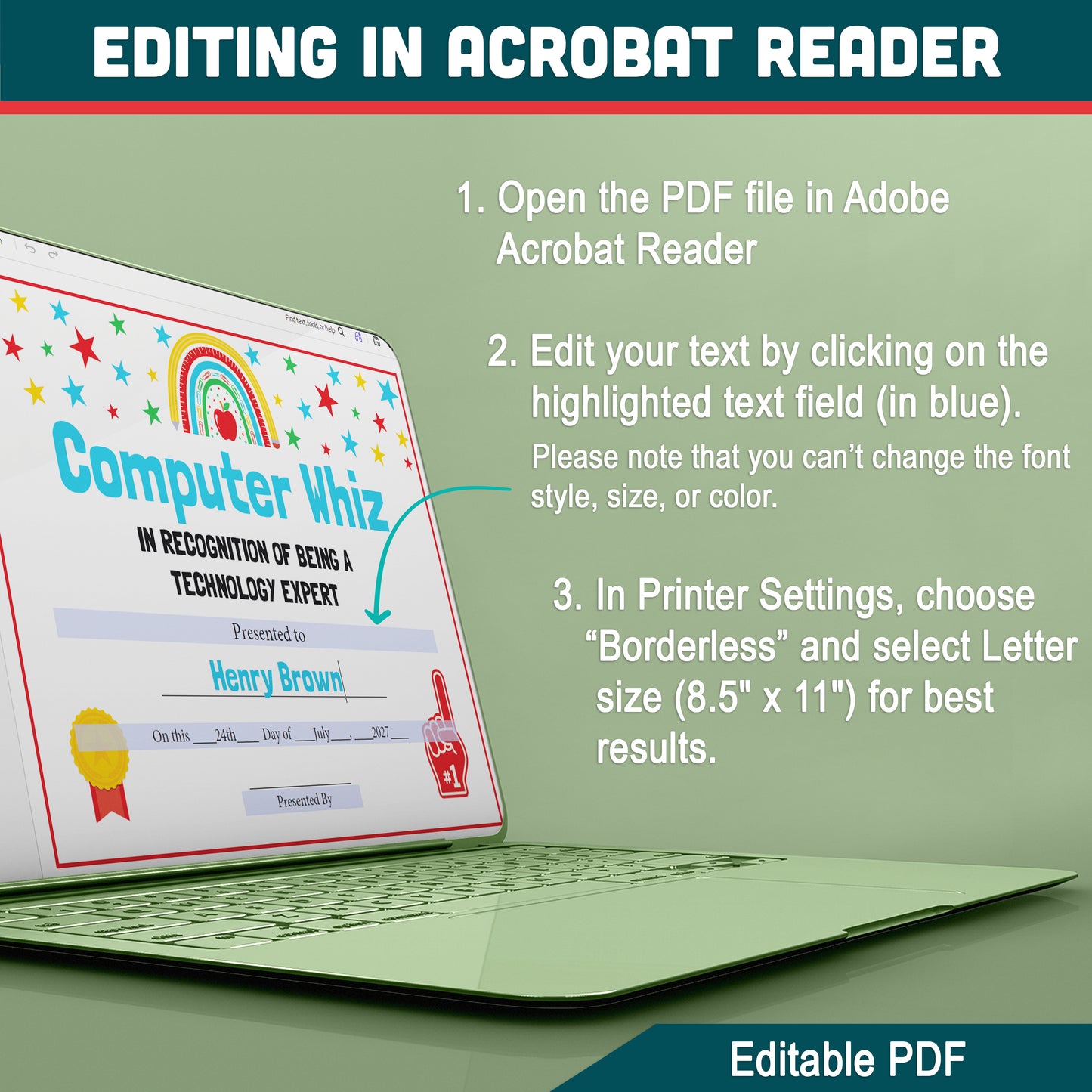
To edit and print the templates using Adobe Reader, follow these simple steps:
1. Download the files
2. Download and install Adobe Reader (FREE version) from https://get.adobe.com/reader if you haven't already done so.
3. Open the editable templates in Adobe Reader by double-clicking on the file or opening it from within the program.
4. Edit the templates by clicking on the editable fields and typing in the desired text.
5. After editing the templates, save the changes by clicking "File" in the top left corner of the screen and selecting "Save As."
6. Choose a location to save the edited templates and give them a new name to distinguish them from the original templates.
7. To print the templates, select "File" and then "Print" from the top left corner of the screen. In the print settings, select "Borderless Printing" and choose "Letter" paper size (8.5 x 11 inches). Adjust any other print settings as desired, such as selecting the number of copies, and then click "Print" to print the templates.
With these steps, you can easily edit and print the editable templates using Adobe Reader, ensuring that they look professional and polished for your graduation ceremony.
. . . . . . . . . . . . . .
JUST DOWNLOAD, PRINT AND GET STARTED
* This item comes as a high-resolution PDF file that you can download straight after purchasing.
* You can print as many copies as you want.
. . . . . . . . . . . . . .
NOTE
* This is a digital item.
* No physical product or printed material will be shipped.
* Following payment, you'll receive a download link where you can download the digital files for this product instantly.
* No refunds as this is a digital product.
. . . . . . . . . . . . . .
TERMS OF USE
» Personal Use. You may print the files as many times as you like for your own personal use.
» Reselling or sharing is not allowed.
» All sales are final due to the nature of digital products.
» Copyright © Little Melon Press. Copyright does not transfer with sale.
Share