

Snowman Kids Face Craft, Add Your Photo, 10 Winter Designs
Snowman Kids Face Craft, Add Your Photo, 10 Winter Designs
Couldn't load pickup availability
Who says kids can't be snowmen? With this Snowman Kids Face Craft, children add their own photos to the designs, cut out the pieces, and put their snowmen together. There are 10 Unique Designs, plus a Coloring Version Included for kids who like to do the coloring themselves.
You will receive PDF + PNG Files at 300 DPI. Both A4 and US Letter (8.5 × 11") sizes are included. Use this activity for winter classroom projects, Preschool and Kindergarten craft time, elementary art centers, homeschool, or a fun afternoon at home.
The set includes a How to Insert a Photo into a Frame in Canva guide + Video Tutorial Included to help you place photos in the designs. Download the files and make a whole class of little snowmen!
• Instructions for PDF
1. Open PDF – Open the file in a PDF reader.
2. Print – Print the body template on US Letter (8.5" × 11") or A4 paper.
3. Cut & Add Face – Cut out the body and glue your face photo.
• How to Insert a Photo into a Frame in Canva
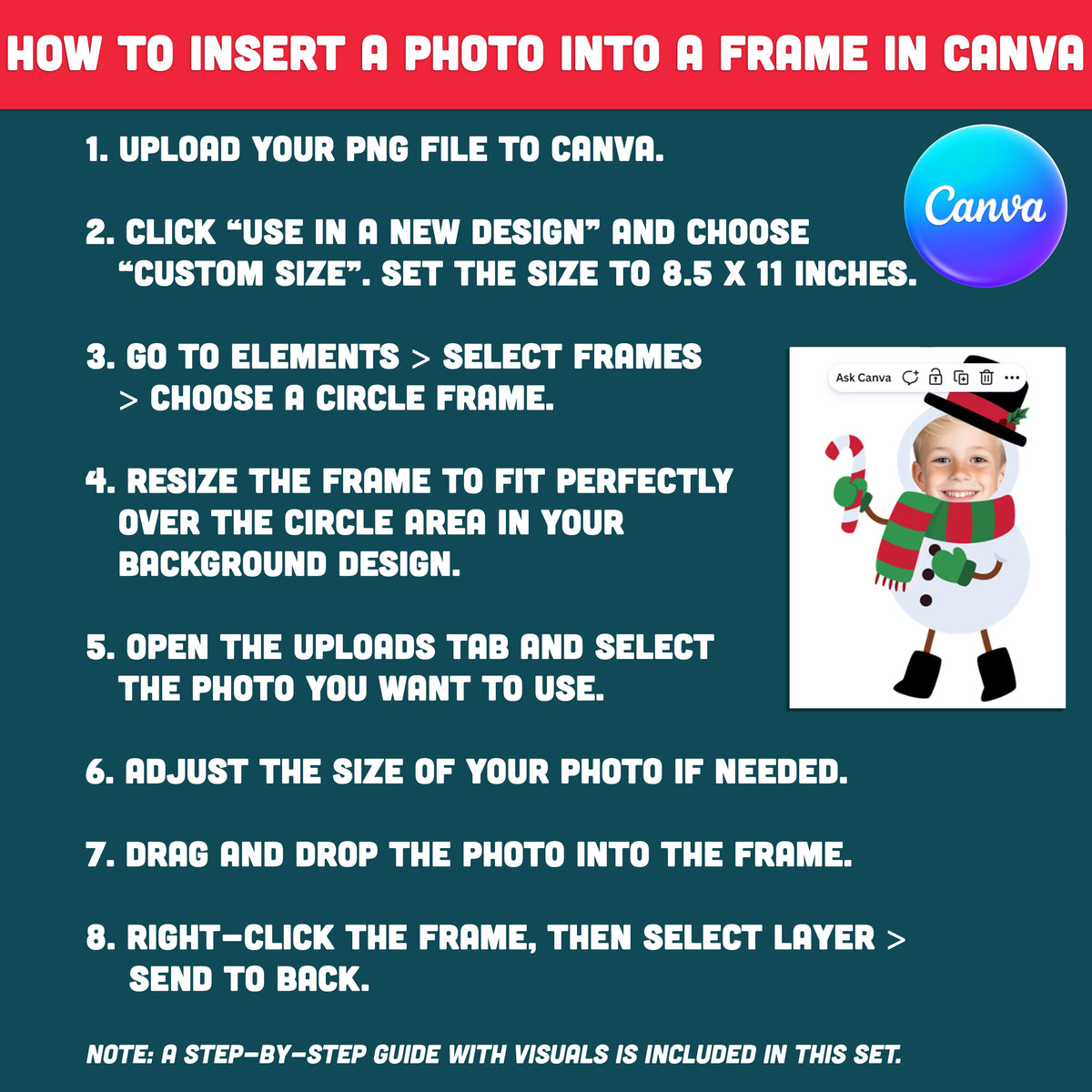
1. Upload your PNG file to Canva.
2. Click “Use in a new design” and choose “Custom size”. Set the size to 8.5 x 11 inches or A4.
3. Go to Elements → select Frames → choose a circle frame.
4. Resize the frame to fit perfectly over the circle area in your background design.
5. Open the Uploads tab and select the photo you want to use.
6. Adjust the size of your photo if needed.
7. Drag and drop the photo into the frame.
8. Right-click the frame, then select Layer → Send to back.
. . . . . . . . . . . . . .
WHAT YOU WILL RECEIVE
• You’ll receive a ZIP file including 10 PDFs + 10 PNGs and 10 Coloring Pages, all in 300 DPI and ready to use. The set also includes a How to Insert a Photo into a Frame in Canva guide and a video tutorial, making it easy to customize even with no design experience.
• Digital download only. No physical product will be shipped.
• Print at home or at your local print shop.
• Includes US Letter (8.5" × 11") and A4 print sizes. For best results, print on cardstock.
. . . . . . . . . . . . . .
JUST DOWNLOAD, PRINT, AND GET STARTED
* This item comes as a high-resolution file that you can download straight after purchasing.
* You can print as many copies as you want.
. . . . . . . . . . . . . .
NOTE
* This is a digital item.
* No physical product or printed material will be shipped.
* Following payment, you'll receive a download link where you can download the digital files for this product instantly.
* No refunds as this is a digital product.
. . . . . . . . . . . . . .
TERMS OF USE
» Personal Use. You may print the files as many times as you like for your own personal use.
» Reselling or sharing is not allowed.
» All sales are final due to the nature of digital products.
» Copyright © Little Melon Press. Copyright does not transfer with sale.
Share