

Unique Certificates and Diplomas, Watercolor Graduation Keepsakes for Preschool & Beyond, Editable Awards, With and Without Photo, PDF PowerPoint
Unique Certificates and Diplomas, Watercolor Graduation Keepsakes for Preschool & Beyond, Editable Awards, With and Without Photo, PDF PowerPoint
Couldn't load pickup availability
Celebrate your students with Unique Certificates and Diplomas that feel as meaningful as the milestone itself. Featuring a charming watercolor rainbow, cloud, and star design, each certificate and diploma becomes a beautiful keepsake that captures the joy of graduation day.
You’ll receive Two Graduation Award Styles (with and without photo versions included), giving you flexibility to create a personalized certificate and diploma or a polished design without a photo. You can also select your preferred title (Diploma or Certificate) to fit your celebration. All certificate and diploma templates are fully editable in PDF and PowerPoint (background images are not editable), so customization is quick and easy. The set includes a detailed, step-by-step guide with images and clear instructions to help you easily insert and perfectly embed your photo into the frame using PowerPoint.
Whether you're celebrating Pre-K, Kindergarten, or upper grades, this resource helps you create heartfelt awards with minimal effort. Get your set today and present unique certificates and diplomas your students will proudly take home.
. . . . . . . . . . . . . .
INSTRUCTIONS:
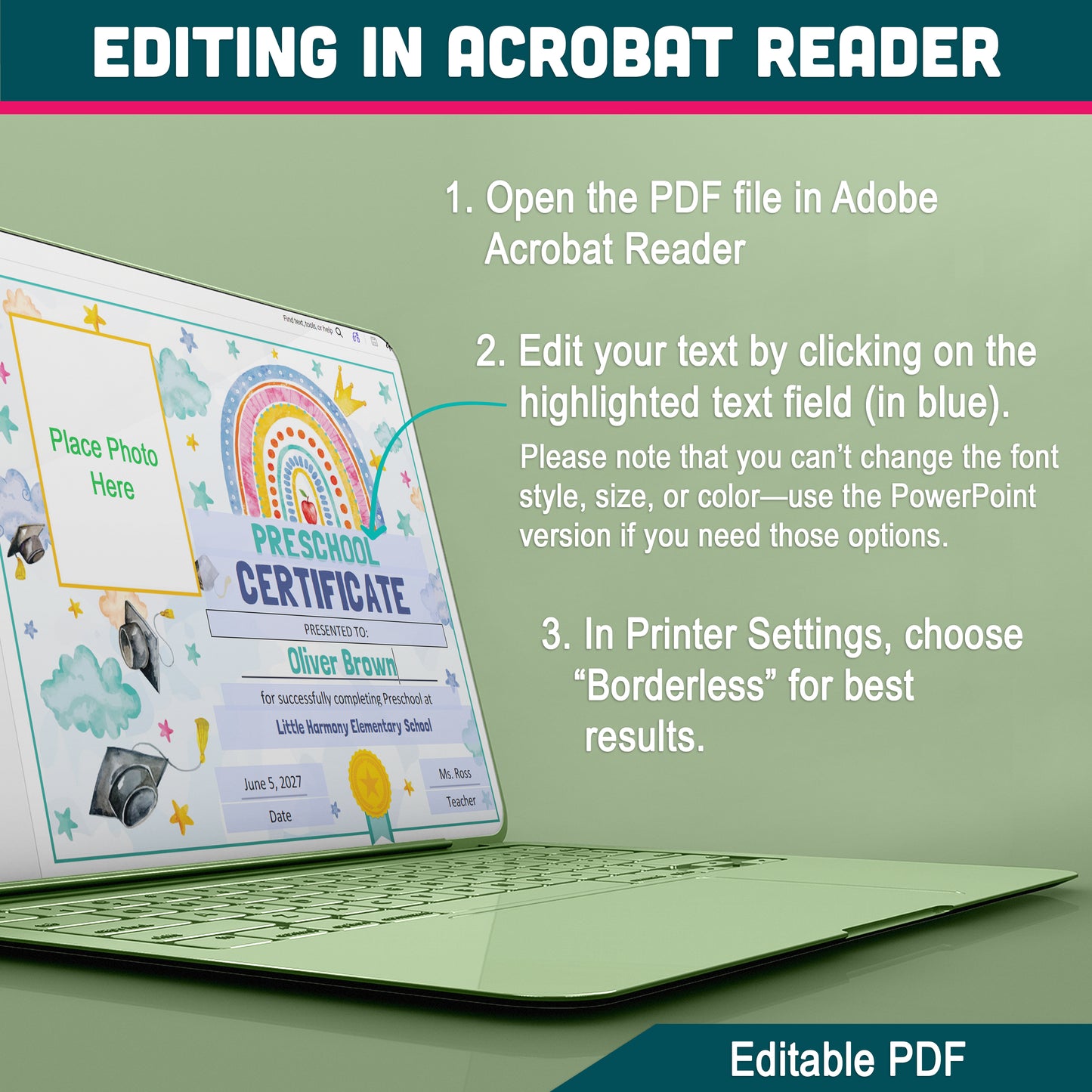
EDITING IN ADOBE ACROBAT READER
1. Open the PDF file in Adobe Acrobat Reader (ensure you’re using the free version).
2. Edit your text by clicking on the highlighted text field (shown in blue). Note that changing the font style, size, or color isn’t possible—please use the PowerPoint version for those options.
3. For printing, go to Printer Settings, select “Borderless,” and choose Letter size (8.5" x 11") for the best results.
EDIT AND PRINT IN POWERPOINT
1. Open the file in Microsoft PowerPoint.
2. Customize the student’s name, details, and font style or color (background image cannot be changed).
3. For printing, select “Borderless” in Printer Settings and choose Letter size (8.5" x 11") for the best results.
*A detailed step-by-step guide with images and clear instructions on how to easily insert and embed your photo into the frame in PowerPoint is included in the set.
. . . . . . . . . . . . . .
WHAT'S INCLUDED
You will receive:
• 4 Editable PDF Templates (8.5" x 11")
• 4 Editable PowerPoint Templates (8.5" x 11")
Each format includes:
• Photo Version and No-Photo Version
• Diploma Title and Certificate Title
Also included:
An easy-to-follow, step-by-step guide with clear instructions for editing and inserting a photo in PowerPoint.
. . . . . . . . . . . . . .
NOTE
* This is a digital item.
* No physical product or printed material will be shipped.
* Following payment, you'll receive a download link where you can download the digital files for this product instantly.
* No refunds as this is a digital product.
. . . . . . . . . . . . . .
TERMS OF USE
» Personal Use. You may print the files as many times as you like for your own personal use.
» Reselling or sharing is not allowed.
» All sales are final due to the nature of digital products.
» Copyright © Little Melon Press. Copyright does not transfer with sale.
Share